Git Branching Strategies: Git Flow vs Trunk-Based Development
Why You Need a Branching Strategy
As teams grow, an ad-hoc branching approach leads to conflicts, broken builds, and confusion. A consistent branching strategy keeps history clean and deployments predictable.
Git Flow
Git Flow uses two long-running branches: main (production-ready code) and develop (integration branch). Feature branches branch off develop, and releases are prepared on a release branch.
When to use: Large teams with scheduled releases, formal QA cycles, and multiple concurrent versions.
Pros: Clear separation, hotfix support, release isolation.
Cons: Complex history, heavier process, more merge commits.
Trunk-Based Development
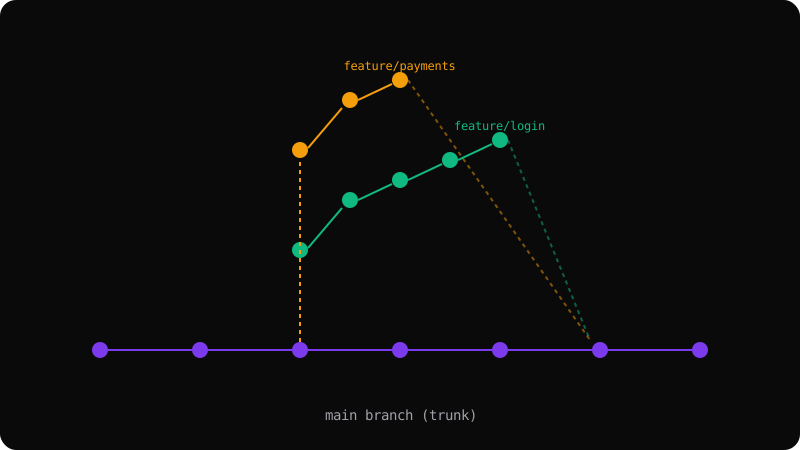
All developers commit to a single main branch (the trunk) multiple times per day. Short-lived feature branches (less than a day) are merged quickly via squash or rebase.
When to use: CI/CD-driven teams, small to medium projects, startups.
Pros: Simple history, fast integration, fewer conflicts.
Cons: Requires discipline, feature flags, and good test coverage.
Merge vs Rebase vs Squash
| Strategy | History | Use Case |
|----------|---------|----------|
| Merge commit | Preserves full timeline | Public branches, shared work |
| Rebase | Linear, clean | Personal branches, PR preparation |
| Squash | Single commit per feature | Trunk-based, release branches |
Recommendation
Start with trunk-based development and squash merges. It keeps history linear and is simpler to reason about. Switch to Git Flow only when your release process demands it.
Get the Offline Git Field Guide
The 97-page PDF + ePub course — $9. Read this command, offline.