How to Write Better Git Commit Messages
Why Commit Messages Matter
Your commit messages are the primary documentation of your project's history. Six months from now, someone (possibly you) will run git log to understand why a change was made. A good commit message answers the "why" — not the "what" (the diff shows the what).
The Seven Rules of a Great Commit Message
1. Separate subject from body with a blank line
Fix login validation error

The auth middleware was not checking token expiry for OAuth
providers. Added a JWT expiry check before the session lookup.
2. Limit the subject line to 50 characters
Short subjects are easier to scan in git log --oneline. If you cannot describe the change in 50 characters, the commit may be too broad.
3. Capitalize the subject line
Add not add, Fix not fix. This is a convention, not a rule — but consistency matters more than which convention you choose.
4. Do not end the subject with a period
Trailing periods add visual noise in compact log formats.
5. Use the imperative mood in the subject line
Write "Fix bug" not "Fixed bug" or "Fixes bug". Git itself uses the imperative: "Merge branch", "Rebase", "Reset". Think of it as completing the sentence "If applied, this commit will ..."
6. Wrap the body at 72 characters
This ensures readability in terminal and command-line tools. Most editors have a "hard wrap at 72" setting for commit messages.
7. Use the body to explain what and why, not how
Bad: Changed the timeout from 30 to 60 seconds
Good: Increase connection timeout for slow CI runners

The CI pipeline on the staging server frequently times out
during peak hours. Doubling the timeout reduces false
positive failures while keeping the upper bound reasonable.
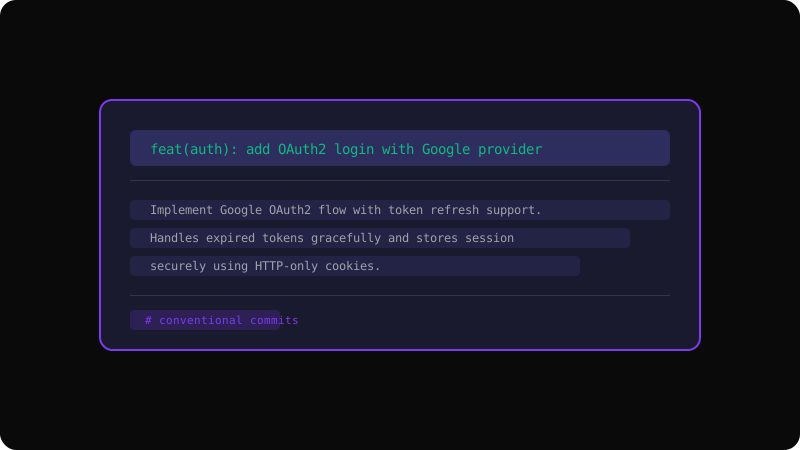
Conventional Commits
Many teams adopt the Conventional Commits specification for structured messages:
feat: add user avatar upload
fix(auth): handle expired tokens correctly
docs: update API reference
refactor: extract payment validation to a service
chore: upgrade dependencies
This format enables automated changelog generation and semantic versioning.
Tools to Help
git commit --verbose— shows the diff as you write your messagecommitlint— enforces commit message conventions in CIgit log --oneline --graph— see how your messages look in context
A little effort on every commit message compounds into a valuable, readable history that your entire team (and your future self) will appreciate.
Get the Offline Git Field Guide
The 97-page PDF + ePub course — $9. Read this command, offline.