Git Submodules: Managing Dependencies Across Repositories
What Are Submodules?
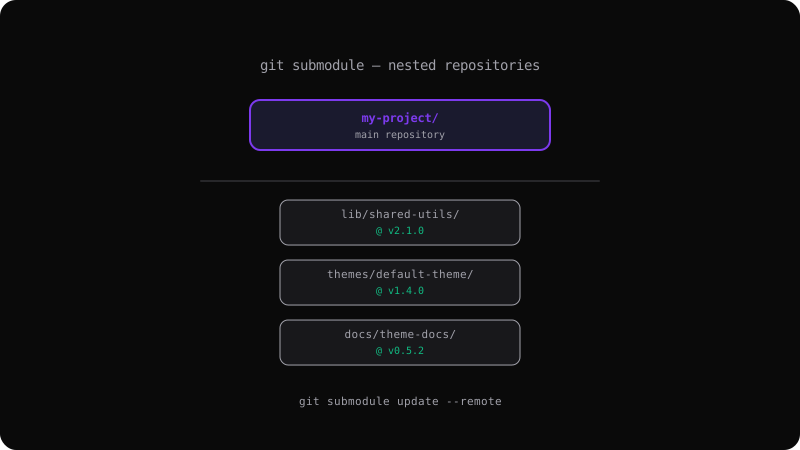
A submodule is a reference to another Git repository embedded inside your repository at a specific commit. It lets you include external projects (libraries, themes, shared configs) while keeping their histories separate.
git submodule add https://github.com/user/lib.git lib/shared-utils
This creates a .gitmodules file and clones the external repo into lib/shared-utils/.
Cloning a Project with Submodules
When you clone a repository that has submodules, the submodule directories are empty by default:
# Clone and initialize all submodules
git clone --recurse-submodules https://github.com/user/my-project.git

# Or if already cloned:
git submodule init
git submodule update
# Or in one command:
git submodule update --init --recursive
Understanding the .gitmodules File
The .gitmodules file tracks the mapping between submodule paths and their remote URLs:
[submodule "lib/shared-utils"]
  path = lib/shared-utils
  url = https://github.com/user/shared-utils.git
This file should be committed to your repository so everyone uses the same submodules.
Updating Submodules
Submodules are pinned to a specific commit. To update them:
# Pull latest from the submodule's remote
git submodule update --remote

# This updates all submodules to the latest commit on their tracked branch
# (defaults to the main/master branch)
After updating, check what changed:
git diff --submodule
Working Inside a Submodule
Navigate into the submodule directory and work normally:
cd lib/shared-utils
git checkout v2.1.0
git pull origin main
cd ../..
git add lib/shared-utils
git commit -m "Update shared-utils to v2.1.0"
The parent repository tracks which commit the submodule points to — you must commit the updated reference.
When to Use Submodules
Shared libraries used across multiple projects — version them with submodules instead of copy-pasting.
Theme or template repos that change independently of the main project.
Vendor or third-party code that you need to pin to a specific version.
When to Avoid Submodules
Simple dependencies — use a package manager (npm, pip, etc.) instead.
Rapidly changing codebases — the overhead of updating submodule references adds friction.
Teams unfamiliar with Git — submodules have a learning curve and can confuse developers.
Submodules are powerful for managing dependencies across repositories, but they add complexity. Use them deliberately and document the workflow for your team.
Get the Offline Git Field Guide
The 97-page PDF + ePub course — $9. Read this command, offline.