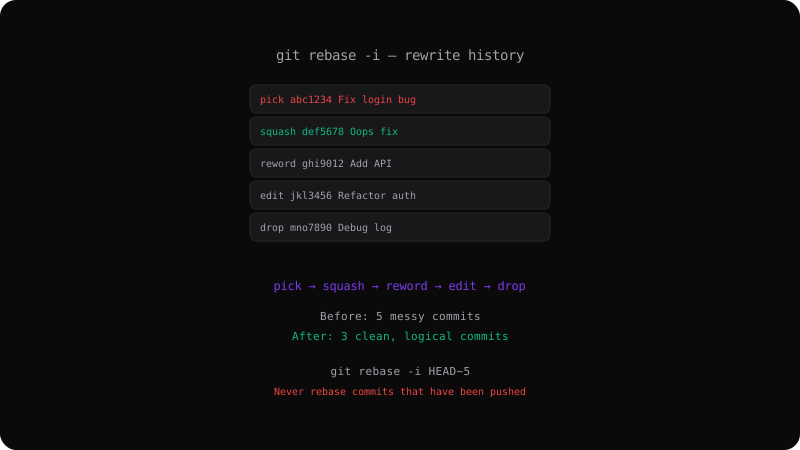
Git Interactive Rebase: Clean Up Your Commit History
Why Clean History Matters
A series of "WIP", "fix", and "oops" commits tells no story. Interactive rebase lets you reshape commits into a logical narrative before sharing them.
Starting an Interactive Rebase
git rebase -i HEAD~5
# Opens an editor with the last 5 commits
The Rebase Todo List
You see a list of commits and commands:
pick abc1234 Add login form
pick def5678 Fix login validation
pick ghi9012 Oops forgot to import
pick jkl3456 Add dashboard
pick mno7890 Fix typo in dashboard
Available Commands
| Command | Effect |
|---------|--------|
| pick | Keep the commit as-is |
| reword | Change the commit message |
| edit | Stop to amend the commit |
| squash | Combine with previous commit, merge messages |
| fixup | Combine with previous commit, discard message |
| drop | Remove the commit entirely |
Common Workflow: Squash Fixup Commits
pick abc1234 Add login form
squash def5678 Fix login validation
fixup ghi9012 Oops forgot to import
pick jkl3456 Add dashboard
fixup mno7890 Fix typo in dashboard
After rebase, you get two clean commits instead of five messy ones.
Resolving Conflicts During Rebase
If your reordered commits conflict, Git pauses the rebase:
# Resolve conflicts, then:
git add <file>
git rebase --continue

# Or skip the problematic commit:
git rebase --skip

# Or abort entirely:
git rebase --abort
Golden Rule of Rebase
Never rebase commits that have been pushed to a shared branch. Rebasing rewrites commit hashes. If someone else has based work on the old commits, their history diverges permanently.
Rewarding Clean History
Interactive rebase turns a messy timeline into a story. Your teammates and future self will thank you when running git log and git bisect.
Get the Offline Git Field Guide
The 97-page PDF + ePub course — $9. Read this command, offline.