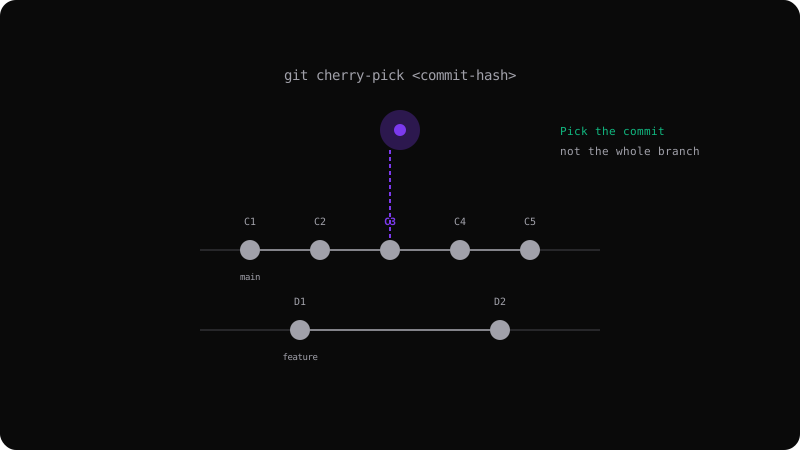
Git Cherry-Pick: Selectively Apply Commits Across Branches
What is Cherry-Picking?
Cherry-picking lets you take a specific commit from one branch and apply it onto another. Unlike merge or rebase, it brings over only the changes from that single commit — not the entire branch history.
git cherry-pick <commit-hash>
When to Cherry-Pick
Hotfixes across release branches: A critical bug is fixed on main. You need that exact fix on the release branch without the other changes that landed after the release branch was cut.
# On the release branch
git cherry-pick abc1234
# That specific fix is now applied here
Porting a feature selectively: A developer committed a feature in three parts. You only want the refactoring part (commit 2), not the new UI (commits 1 and 3).
Undoing a bad cherry-pick: Use git revert on the cherry-picked commit if it causes issues.
Cherry-Pick in Practice
Pick a range of commits:
git cherry-pick abc1234..def5678
Cherry-pick with no automatic commit (stage changes only):
git cherry-pick -n abc1234
Understanding Commit Hashes
Every commit has a unique 40-character SHA-1 hash. You only need enough characters to make it unique (usually 7-8). Find hashes with git log --oneline.
git log --oneline --all
# abc1234 Fix login timeout on Safari
# def5678 Add user avatar component
# ghi9012 Refactor API client
Conflicts During Cherry-Pick
When you cherry-pick a commit, Git applies the diff to your current branch. If the same lines were modified differently, you get a merge conflict:
# Resolve conflicts, then:
git cherry-pick --continue
# Or abort entirely:
git cherry-pick --abort
Best Practices
- Cherry-pick sparingly — frequent cherry-picks between active branches create divergent history and future merge headaches.
- Document why — include the source commit hash in your commit message:
Cherry-picked from abc1234. - Prefer merge for long-lived branches — cherry-pick is for exceptions, not routine synchronization.
- Watch for duplicate commits — if you merge a branch that was already cherry-picked from, Git may try to apply the same changes twice. Use
git merge --no-ffto manage this.
Cherry-picking is a precision tool — use it when you need exactly one change, not when you need to sync entire branches.
Get the Offline Git Field Guide
The 97-page PDF + ePub course — $9. Read this command, offline.